Berry
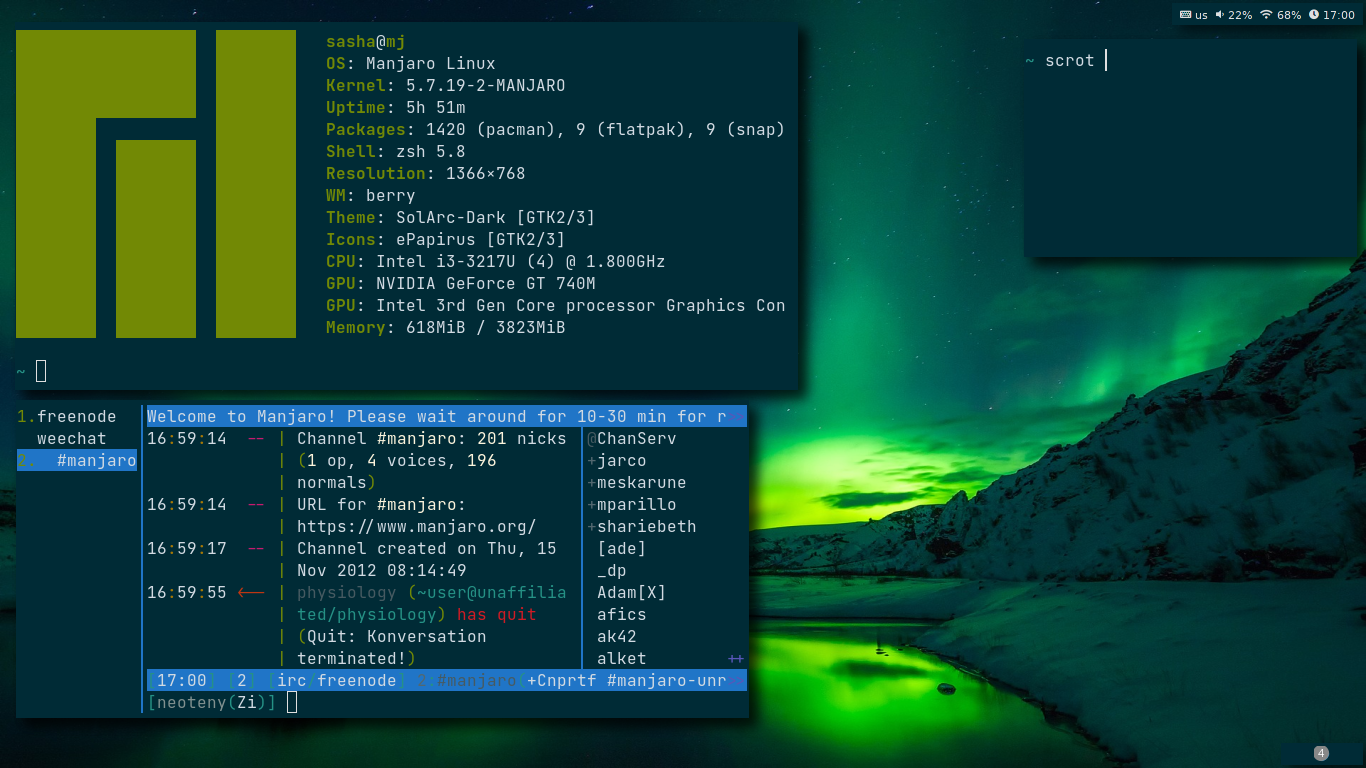

Install sxhkd
sudo pacman -S sxhkd
Install berry from source
sudo pacman -S libx11 libxft libxinerama
git clone https://github.com/JLErvin/berry
cd berry
make && sudo make install
Add berry in lightdm
sudo cat <<EOF > /usr/share/xsessions/berry.desktop
[Desktop Entry]
Encoding=UTF-8
Name=berry
Comment=berry - a small window manager
Exec=berry
Type=XSession
EOF
Autostart
setxkbmap "us,ru,ua" ",winkeys" "grp:alt_shift_toggle" -option "ctrl:nocaps"
sxhkd -c ~/.config/berry/sxhkdrc &
~/.config/berry/polybar/bar.sh &
nitrogen --restore &
picom -b &
Keybindings
| Shourtcut | Command |
|---|---|
mod + q |
Kill focus window |
mod + split + enter |
Run program launcher (Rofi) |
mod + esc |
Power menu |
mod + ctrl + u |
Config edit menu |
mod + ctrl + i |
Passmenu(Dmenu interface for pass) |
mod + enter |
Run kitty |
mod + F2 |
Run firefox |
mod + shift + esc |
Run xkill |
mod + plus |
Add 5% volume |
mod + minus |
Minus 5% volume |
mod + shift + minus |
Mute volume |
mod + tab |
Change focus window |
mod + h/j/k/l |
Move focus window |
mod + shift + h/j/k/l |
Resize focus window |
mod + [1-9] |
Change workspace |
mod + shift + [1-9] |
Send focus window to workspace |
mod + alt + t |
Open ~/.todo file |